Soundee×FramerNew

Free Starter template Free Soundee plugin

Your beats.
Your website.

Build your beat store with your own pages, sections and design in Framer. Keep your existing catalog, orders and customers in Soundee.

Get the free template

Opens Soundee Starter on the Framer Marketplace.

Live demo

Free template and plugin. Live store connection requires Soundee Pro. Framer hosting plans are separate.

The desktop template

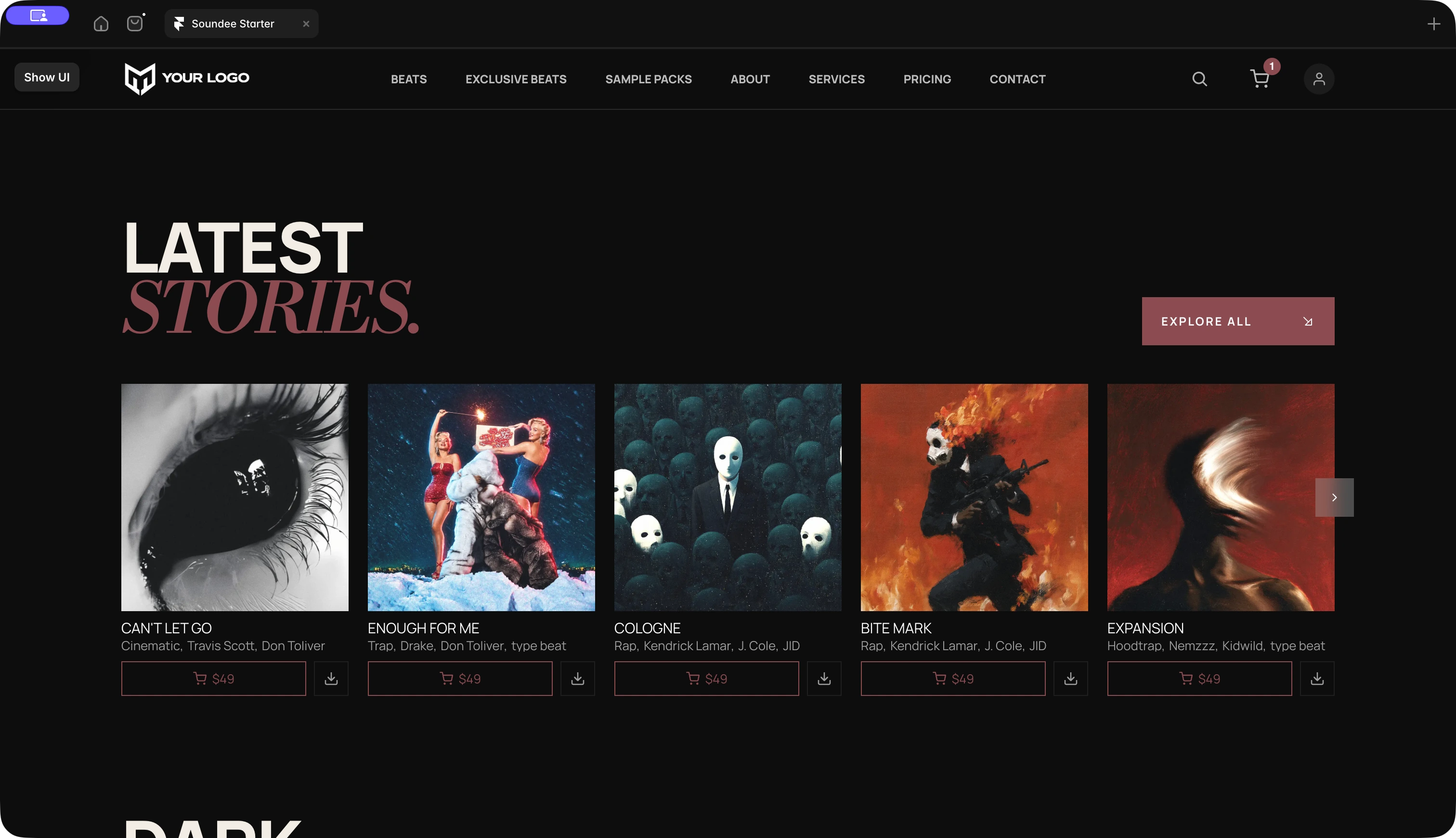
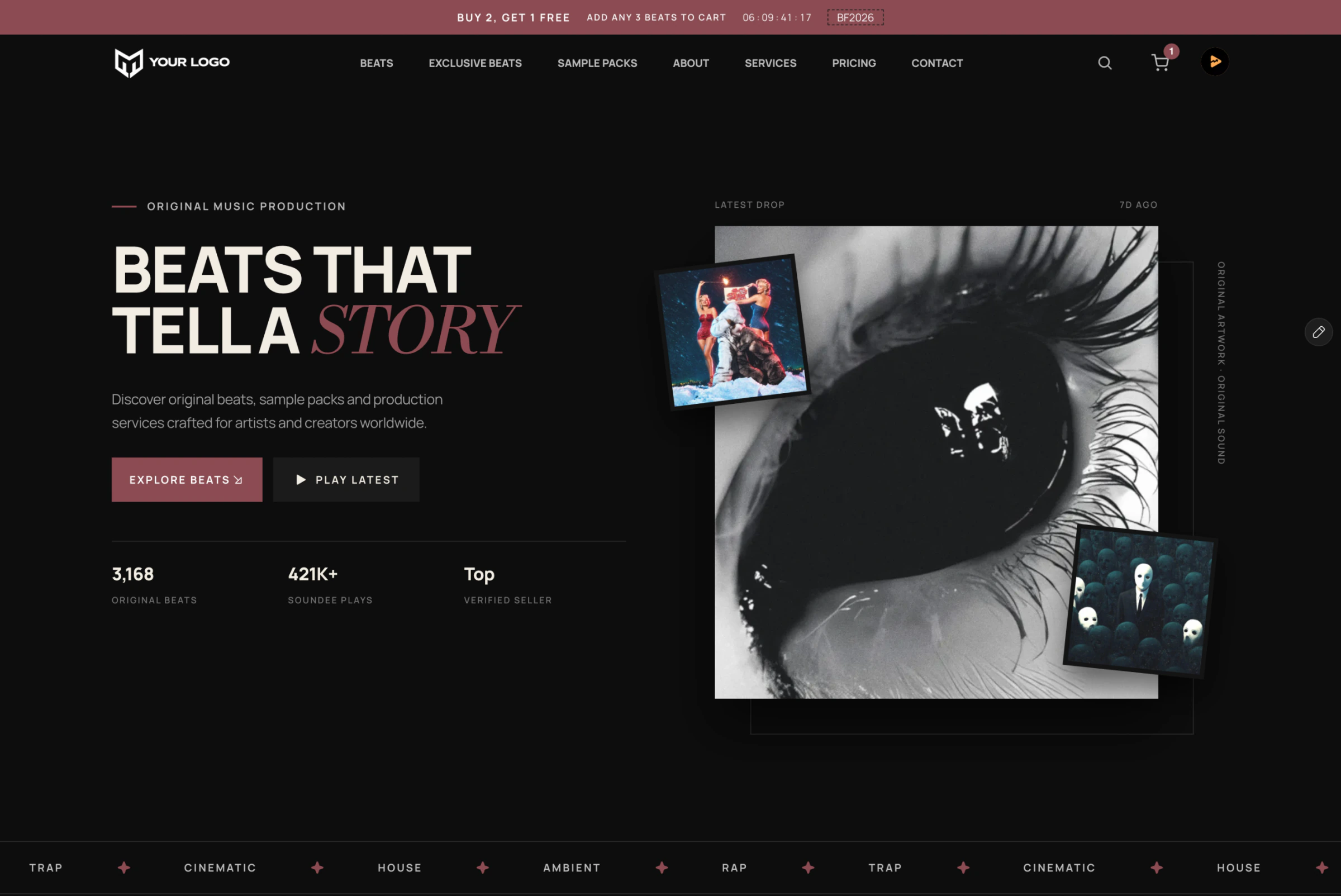
Soundee Starter desktop website with the headline Beats That Tell a Story, eye artwork and album covers

The fullscreen player

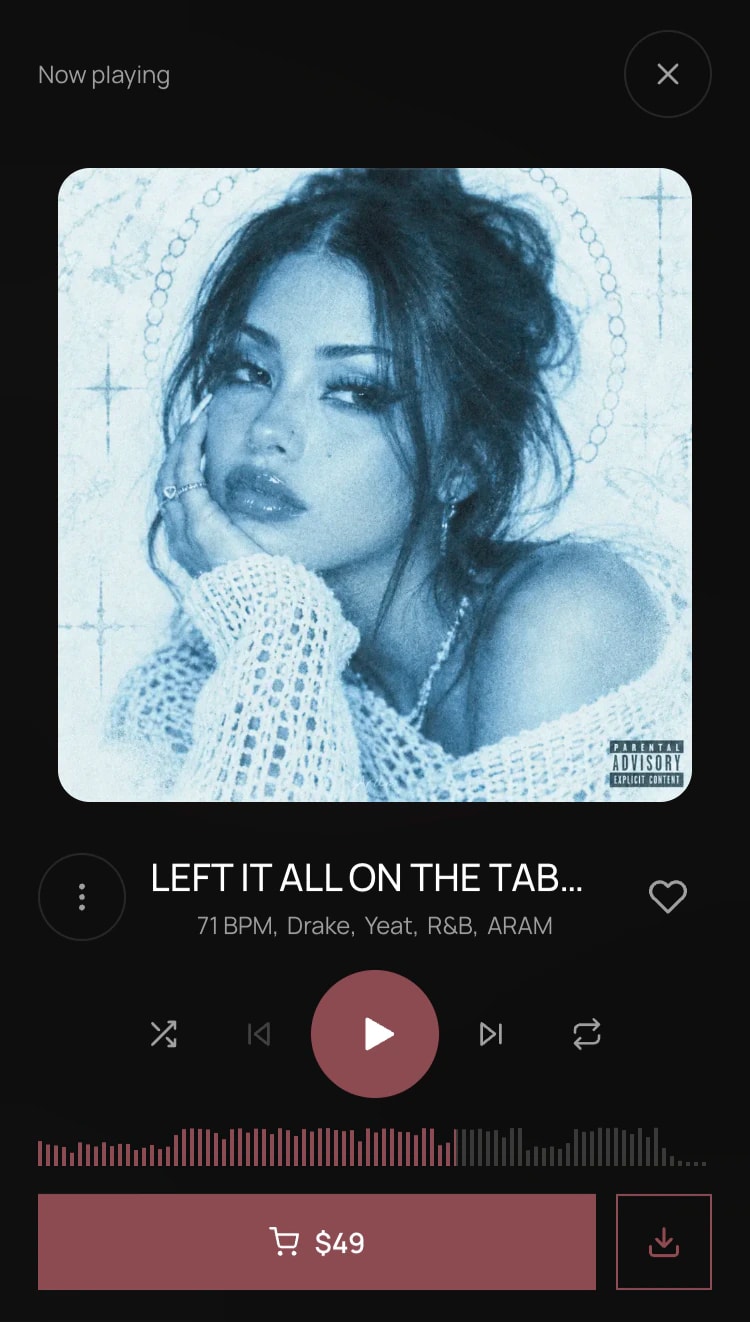
Soundee fullscreen mobile player with square blue portrait artwork, playback controls, waveform and a license purchase button
The free Starter template on desktop and mobile.Explore live

Two ways to build

A head start. Or a blank canvas.

Remix the complete template, or add Soundee to a Framer website you already have.

01 / The template
Recommended for your first site

Make it yours.

Remix the project, connect your Soundee store and replace the demo design with your own brand.

  • Responsive pages included
  • Soundee components connected
  • Fastest route to launch
Beat catalog section included in the Soundee for Framer template
Get the free template

Opens Soundee Starter on the Framer Marketplace.

02 / The plugin

Bring your own design.

Open the plugin and insert the store components you need into your existing pages.

  • Keep your current layout
  • Insert only what you need
  • Use Soundee for checkout
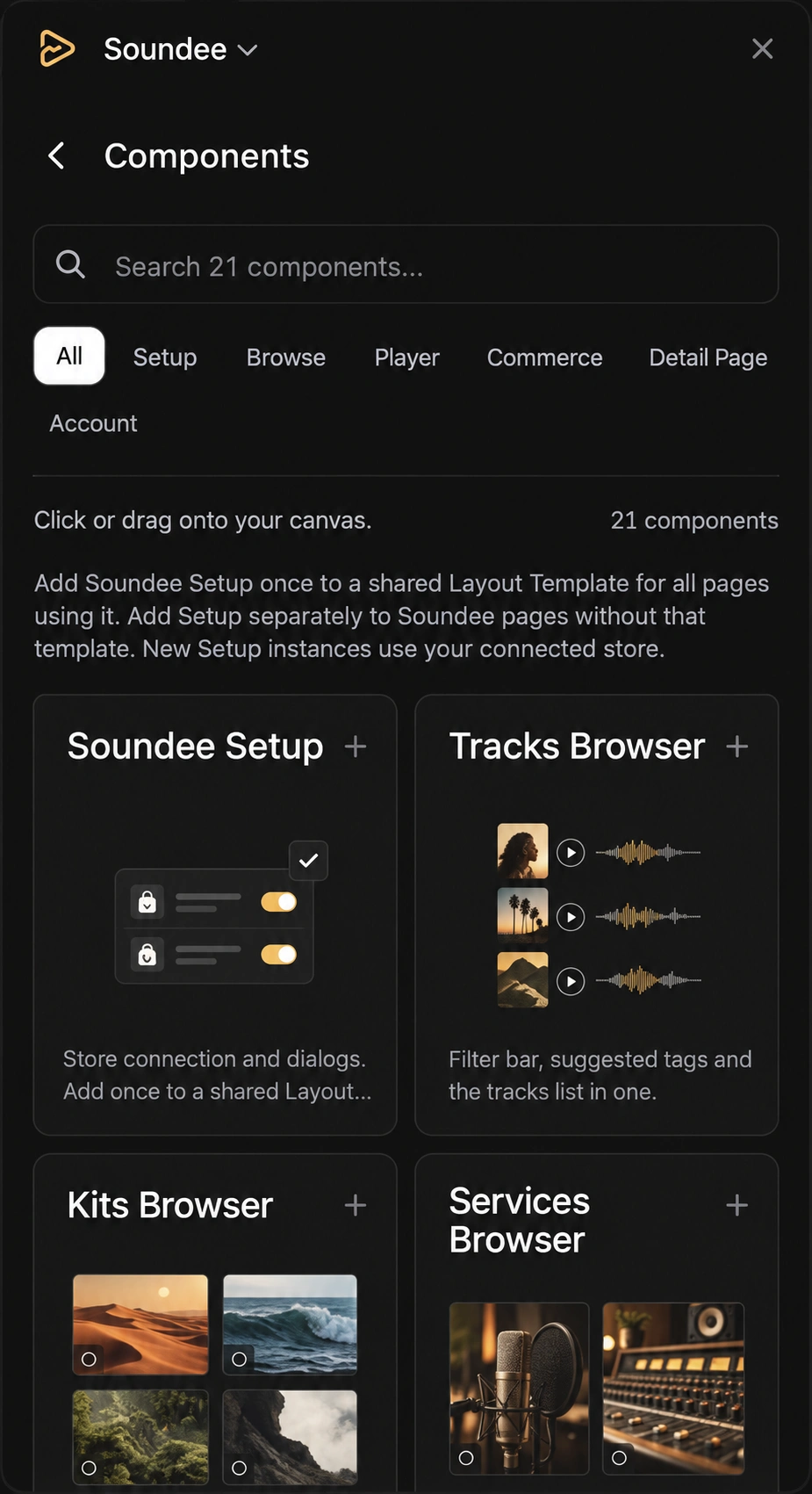
Sharpened reconstruction of the Soundee plugin: search 21 components, filter by category and insert components into your canvas
Open the free Soundee plugin

Setup

From template to your website.

01

Choose a starting point

Remix the template or open the plugin in your current Framer project.

02

Connect your store

Sign in through the Soundee plugin and choose your published store. Your catalog and licenses come with it.

03

Edit and publish

Make the design your own, check desktop and mobile, then publish from Framer.

What customers see

Browse, preview and buy beats.

Visitors can filter tracks, preview waveforms and choose a license on your website, then securely complete their purchase through Soundee’s hosted checkout.

Explore the storefront live
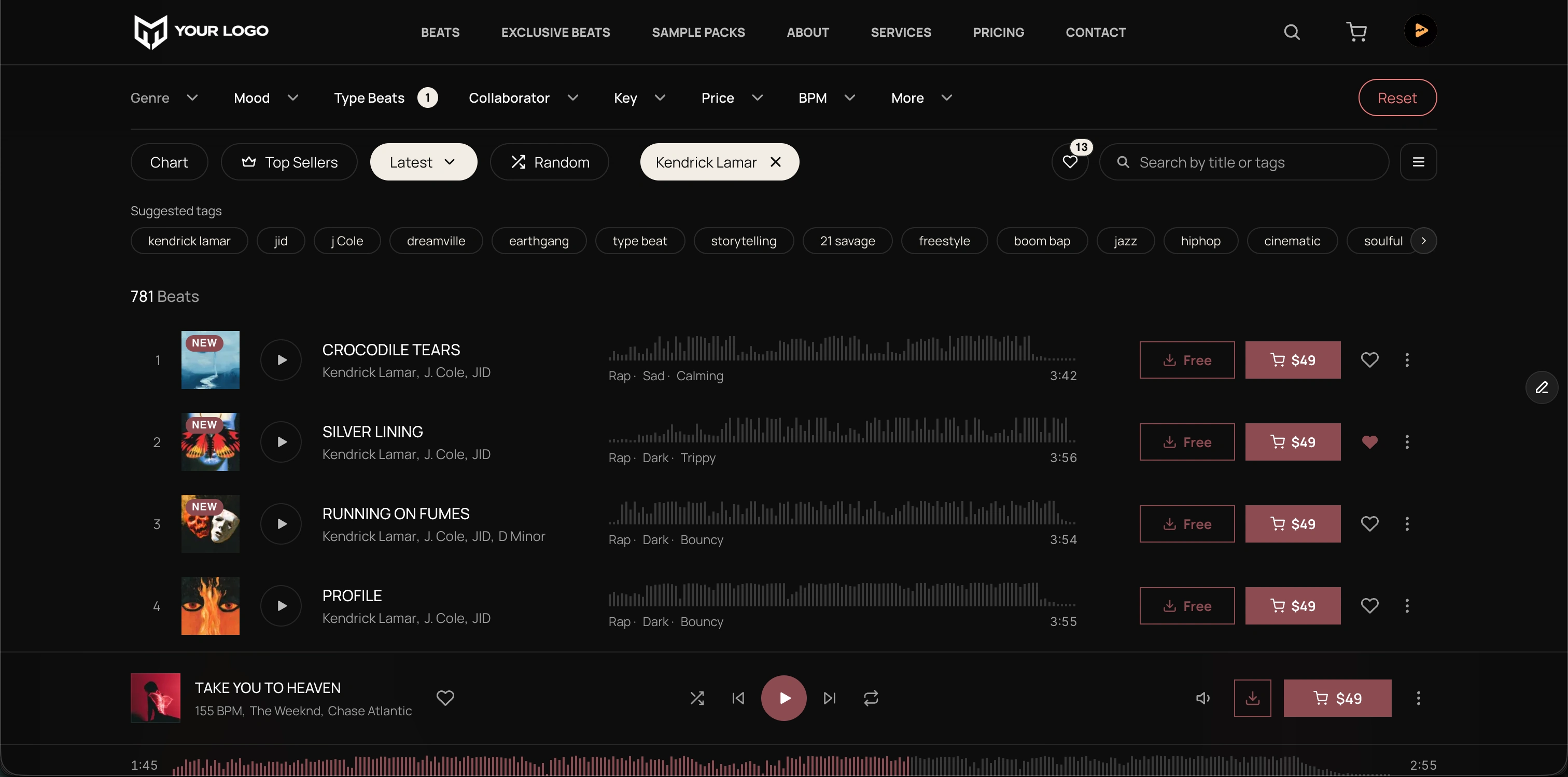
Producer beat storefront with filters, search, track artwork, waveforms, licenses and a sticky audio player
Track filtersCatalog searchWaveform previewsLicense selectionPersistent player

CMS + SEO

A page for every release.

Bring your tracks, sample packs and services into Framer’s CMS and turn them into product pages in your own design.

Your catalog, ready to use
Sync titles, descriptions, artwork and prices. Run the sync again after changes, then publish your updated pages.
Your search and social previews
Use CMS fields for each release’s page title, description and share image. Choose which pages get indexed.
Explore SEO in Framer
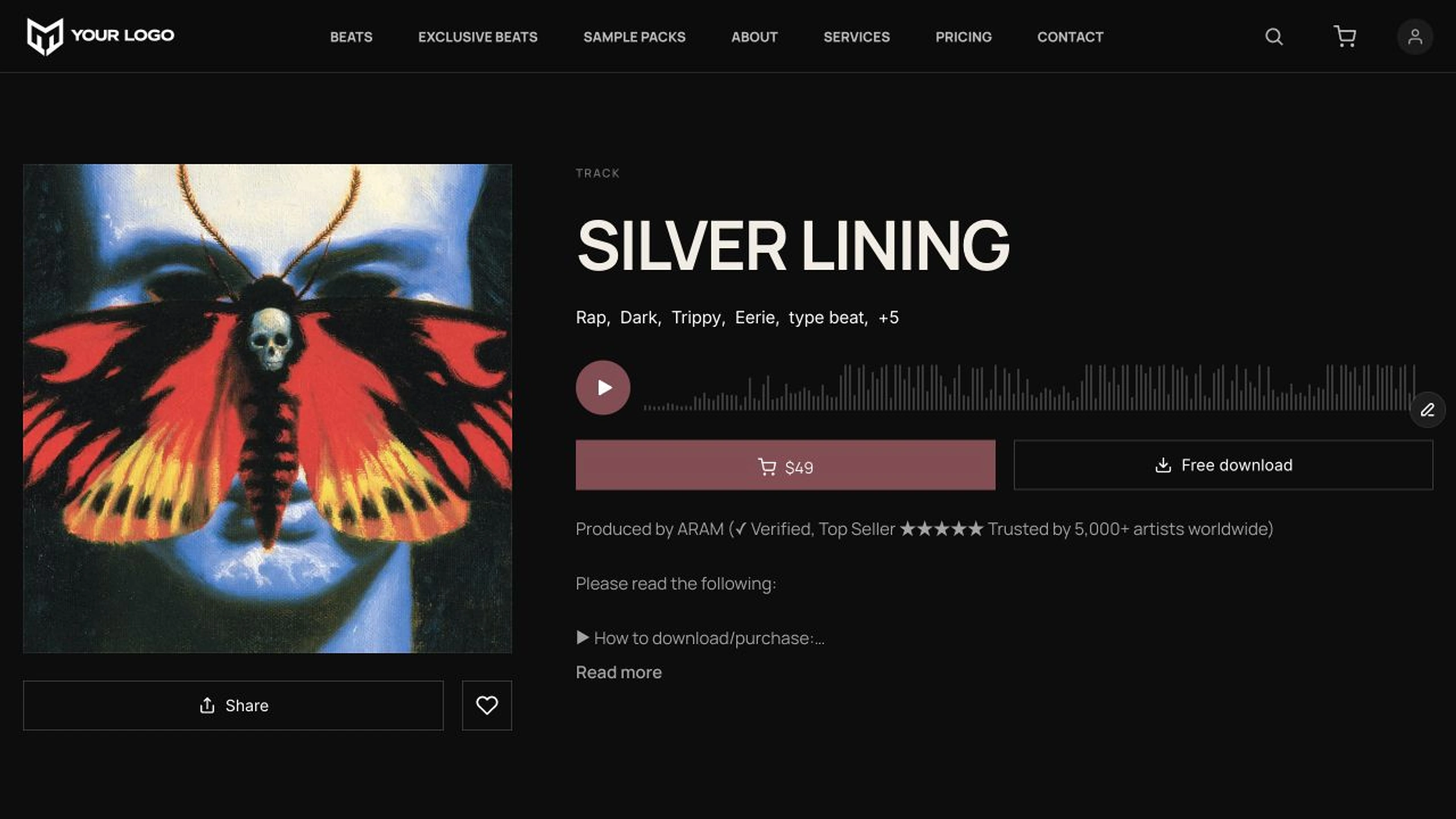
Silver Lining product page in the Soundee template, with cover artwork, waveform and license button
A product page from the Starter templateView live

Your design

More than a different color.

Add pages for your story, services or releases. Rearrange sections and make the layout your own in Framer’s visual editor.

Want a hand? Ask Framer Agent to help with a change, then review and refine the result.

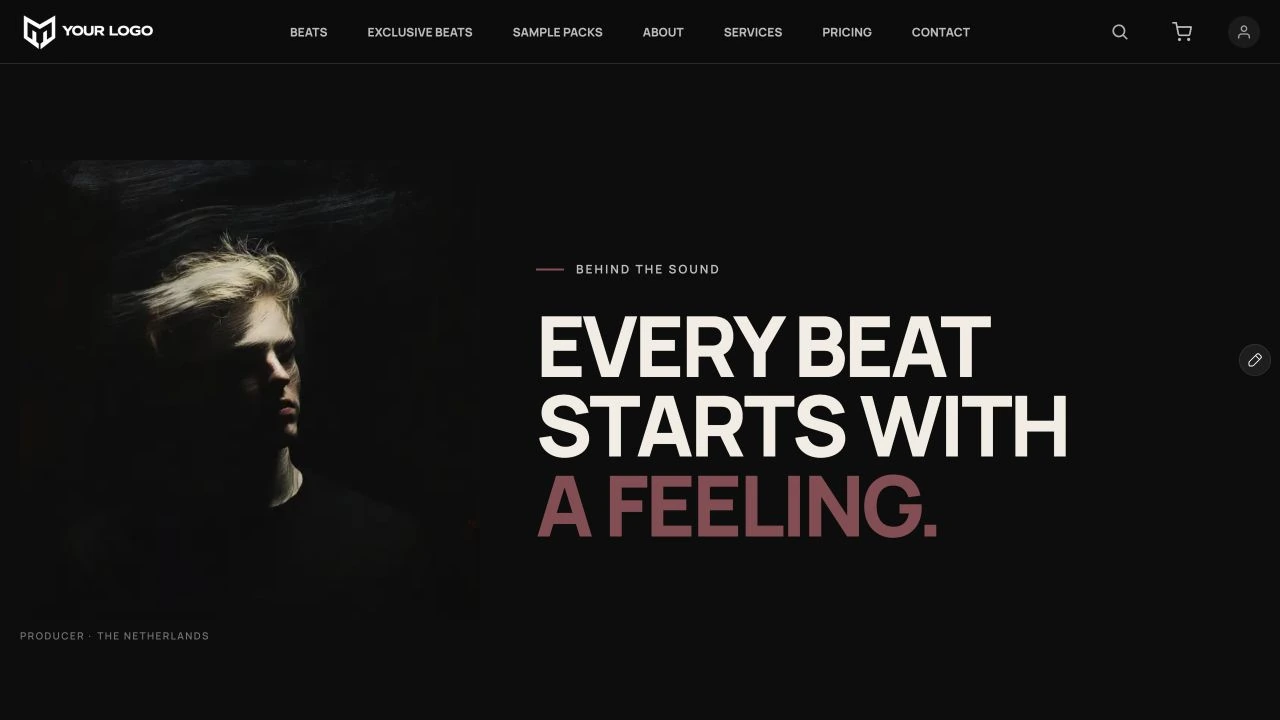
The Starter’s real About page, with a custom portrait layout and large editorial heading
A page beyond the store · From the live StarterExplore the About page

Behind the website

Still your Soundee store.

Connect Framer to the Soundee store you already use for your embedded or standalone site. Give it a new design without starting your store over.

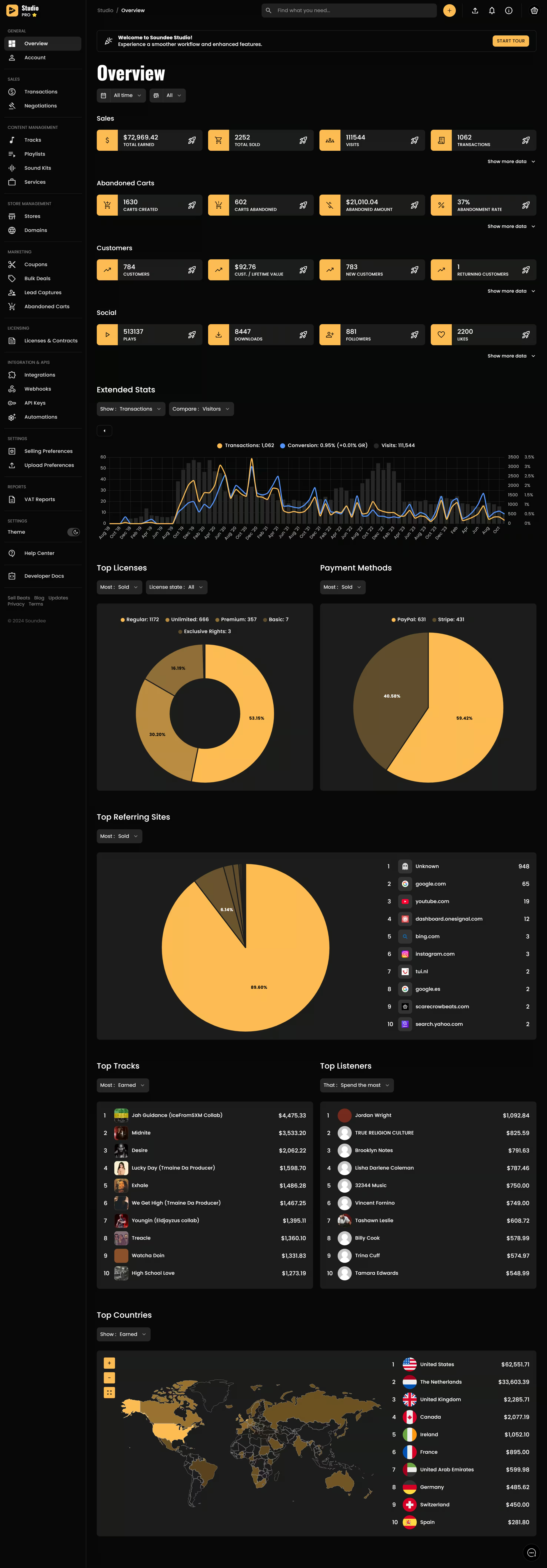
Soundee Studio dashboard with sales and customer analytics
Your existing store
Keep managing beats, licenses, orders and customers in Soundee. Framer is your new storefront.
Email signups
Add an opt-in form anywhere on your site. New subscribers go to the same Soundee store mailing list.
Exit-intent popups
Collect signups before desktop visitors leave. Enable and customize the popup in Framer’s Soundee Setup.

What you need

Two accounts.
One website.

The Starter template and plugin are free. Framer hosts your website; Soundee powers the store and hosted checkout.

Create both accounts for free. Upgrade Framer for a custom domain and Soundee when you connect the live store.
Basic · Website + hosting

Framer

$15/moor $10/mo billed yearly
  • 01Build and customize on the Free plan
  • 02Publish free on a Framer subdomain
  • 03Upgrade to Basic for your own domain
View Framer pricing
Pro · Beats + commerce

Soundee

$19.99/moor $14.99/mo billed yearly
  • 01Prepare your catalog on the Free plan
  • 02Use Pro for the live Framer connection
  • 03Manage beats, licenses, orders and checkout
View Soundee pricing

Subscriptions are purchased separately. Prices are shown in USD, exclude tax and may vary by billing cycle or region.

Free Starter template

Get the template.
Make it yours.

Start with the complete Framer template and setup guide, for free. Remix it, connect your Soundee store and make it your own.

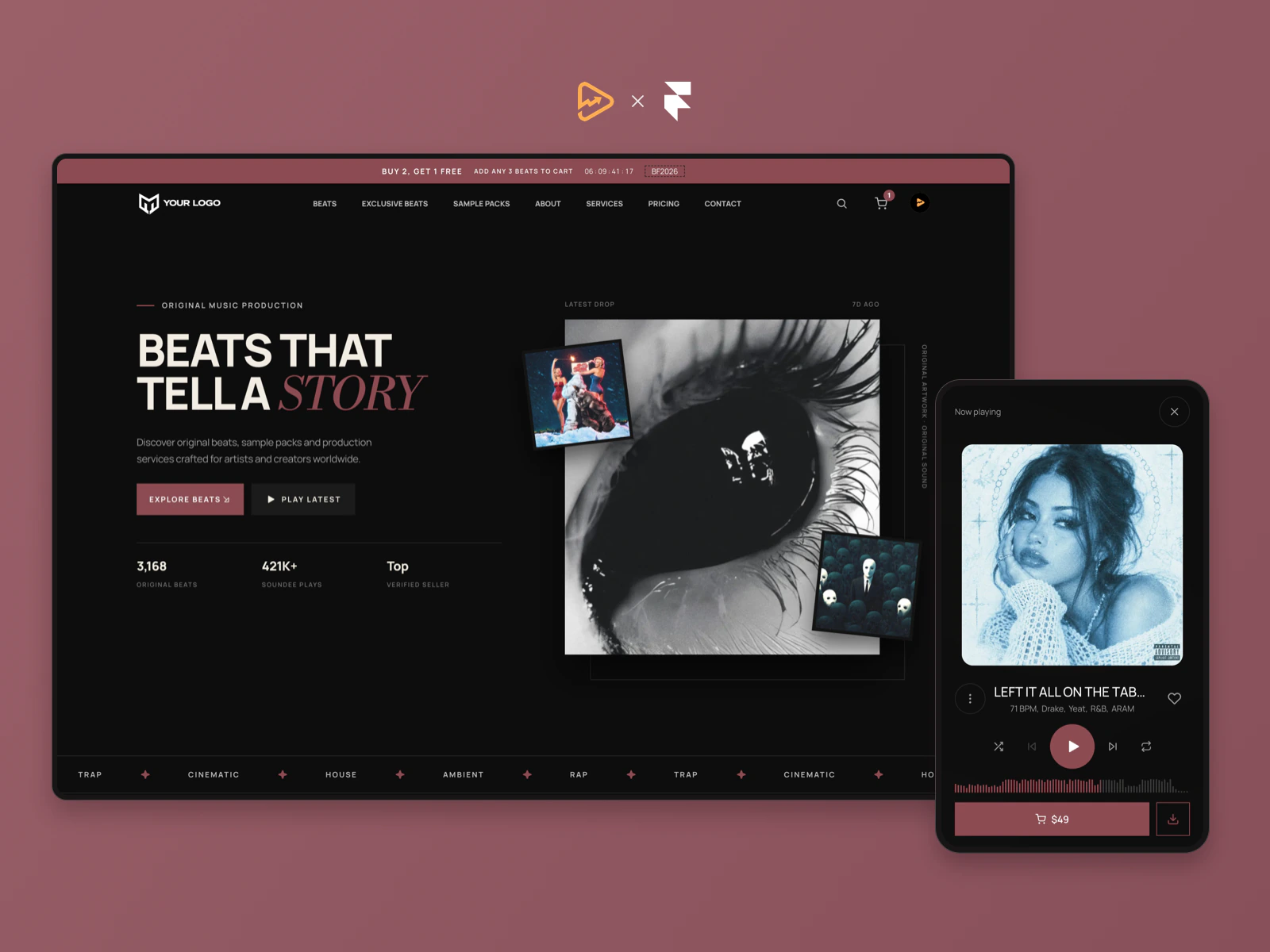
Soundee Starter template cover showing the desktop website and fullscreen mobile music player on a muted rose backgroundExplore the live template
Soundee StarterFree
Get the free template

Opens Soundee Starter on the Framer Marketplace.

Framer hosting and Soundee subscriptions are separate.

Questions

Before you start.

Practical answers about the free template, plugin and account requirements.

Explore the live demo
What accounts and subscriptions do I need?

The Starter template and Soundee plugin are free. You can create both accounts and customize the project for free. Framer Free can publish to a Framer subdomain; a custom domain requires Basic ($15 monthly or $10/month billed yearly). The live Soundee for Framer connection uses Soundee Pro ($19.99 monthly or $14.99/month billed yearly). These subscriptions are separate from the free template.

Can I connect my existing Soundee store?

Yes. Sign in through the Soundee plugin and choose your published store. Framer connects to the same Soundee store you use for an embedded or standalone storefront, so there is no separate catalog to rebuild. Keep managing your beats, licenses, orders and customers in Soundee. If you are new to Soundee, create and publish a store first.

Do I need to use the template?

No. The template is the fastest and recommended route, but you can also use the Soundee plugin to add individual components to an existing Framer website.

How is this different from Soundee’s Page Builder?

The Page Builder lets you customize a ready-made store layout. With Framer, you can also add your own pages, headings and sections, rearrange the layout, or build a completely different website around Soundee’s components. Soundee still handles your catalog, licenses and hosted checkout.

Do I need to know Framer or how to code?

You do not need to code. The Starter gives you a working starting point, but learning the basics of Framer helps when changing layouts. Edit visually, or ask Framer Agent to help with supported changes. Review the result on desktop and mobile before publishing.

Can I use Claude or ChatGPT with Framer?

Yes. Framer supports external agents including Claude Code and Codex for supported design, content and project changes. This workflow is optional, and you stay in control of what gets published.

How does CMS sync work?

Open CMS Sync in the Soundee plugin, choose tracks, sample packs and/or services, and run the sync. Your catalog is imported into one Framer collection, including titles, descriptions, artwork and prices. Run it again after catalog changes, then publish your updated CMS pages. CMS sync is started manually; it is separate from the live player, cart and checkout.

Can I control the SEO of my product pages?

Yes. Build CMS detail pages from the synced collection and use Framer Page Settings to set titles, descriptions, social previews and search visibility. Bind the title, description and artwork to CMS fields so each product has its own metadata. Framer generates the sitemap when you publish.

What does Soundee handle?

Your connected Soundee store powers the catalog, licenses, cart and secure hosted checkout. Orders and customers stay in Soundee; Framer gives you control over the website design.

Do email signups and exit-intent popups work in Framer?

Yes. Add the Soundee Email Opt In component to collect signups, and enable Exit Intent in Soundee Setup if you want an exit popup. Both send subscribers to the same store mailing list used by your embedded or standalone Soundee storefront. Configure the form and popup in Framer; their display settings are not automatically copied from your existing site. The exit-intent popup is desktop-only.

Can I use my own Framer design?

Yes. Open your existing project, connect the Soundee plugin and add the components you need inside your own layouts.

What is included in the free Starter template?

The complete Soundee for Framer Starter with responsive layouts, Soundee components and a setup guide. Remix it into your Framer account and make it your own. No template purchase is needed. Framer hosting and Soundee subscriptions are separate.

Soundee for Framer

Build your website in Framer.

Get the free template

Opens Soundee Starter on the Framer Marketplace.

View live demo